
Scrum software your whole team will actually use
Plan sprints, track work on a board, estimate together and look back at what happened, all in one workspace that also holds your team chat and meetings.
Free for teams of up to 10 · No credit card
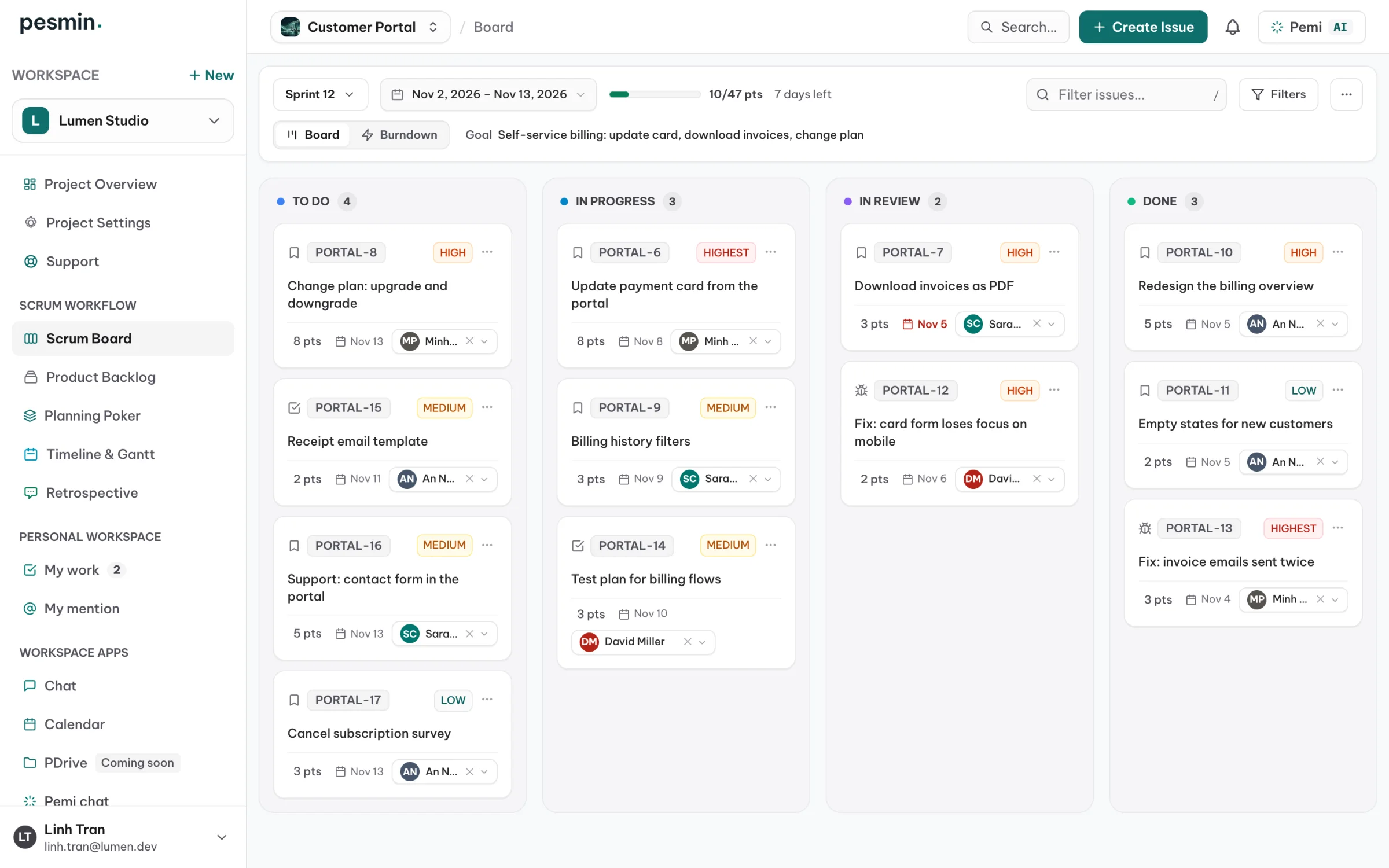
Everything a Scrum team needs
Pesmin follows the way Scrum teams already work, so there is nothing to learn before you start.
- A product backlog you can rank, estimate and group by epic
- Sprint planning with a goal, and a warning when you plan more than your team usually finishes
- A board with columns you can rename, with optional limits on work in progress
- Planning poker so the whole team estimates together
- A burndown chart and a retrospective for every sprint
Clear roles, clear access
Product owners, Scrum masters and developers see and change what fits their role.
- Roles and permissions for the workspace and for each project
- Everyone sees the same board, so standups stay short
- Link commits from GitHub and GitLab to the work they belong to
Let Pemi do the busywork
Ask Pemi if the sprint is on track, to write acceptance criteria or to estimate a story. Pemi prepares the change and you approve it.
- Plain-language answers about your own sprint
- Better stories in seconds
- Nothing changes without your approval
Questions, answered
Do we need to know Scrum before we start?
No. A new project starts with a board and a backlog. If you are new to Scrum, our guide explains the basics in plain English.
Can we use Kanban instead of Scrum?
Yes. When you create a project you can choose a Scrum or a Kanban template.
Is it free for a small team?
Yes. A workspace of up to 10 people is free, with unlimited projects. No credit card is needed.
Can we bring our existing issues?
You can import issues from a CSV file and export a project at any time.
Keep reading
6 min read
What is Scrum? A plain-English guide for software teams
Scrum explained without jargon: the roles, the sprint events, the backlog and the most common mistakes. A short guide for software teams that are new to Scrum.
6 min read
How to run sprint planning that your team can actually finish
A step-by-step way to run sprint planning: set a goal, pick the work, estimate it, check your capacity and agree. Includes a simple agenda and common mistakes.
Give your next sprint a better home
Create a free workspace in two minutes. No credit card.
Start free